




Don't use the n8n Predefined LinkedIn Credentials. It just won't work.
On n8n the predefined LinkedIn Credential is missing scopes. Even though you've set up your LinkedIn app properly, and the app itself has the scopes, the predefined credential does not. If you want to do things like get organisation posts and store them for later analysis, you actually need to set up your own OAuth2 connector. Otherwise you'll keep getting scope errors and run around in circles going "but my app has scopes, why isn't this working?"
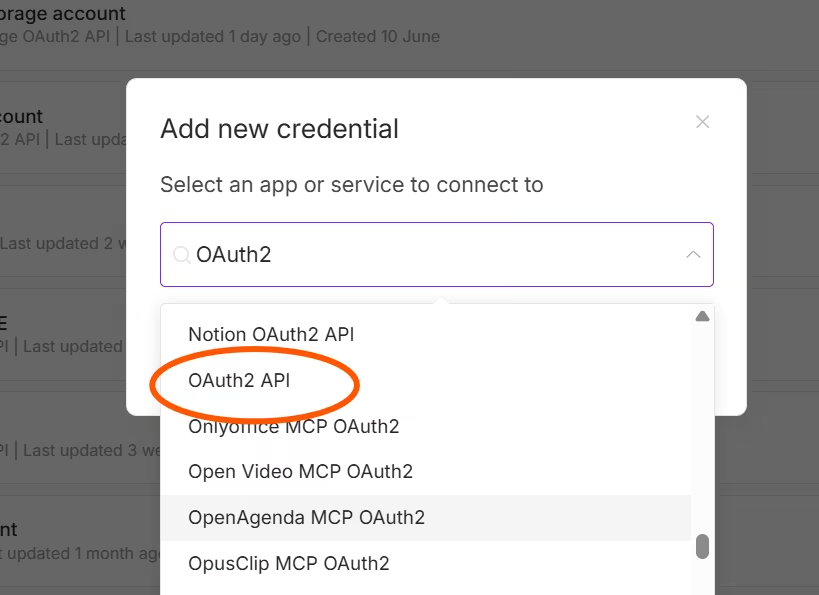
It's a relatively simple fix. The image below gives you what you need to put into the setting screen.Select the plain OAuth2 API from the credentials in n8n to build your vanilla connection.
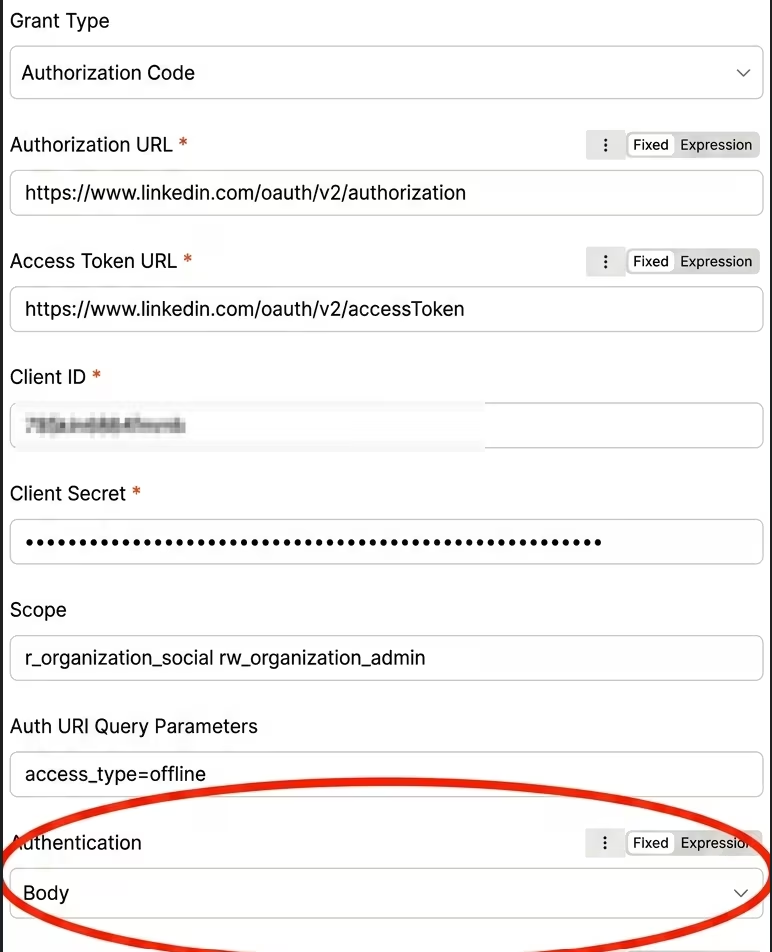
Then add the information from your LinkedIn App, as per the next image.
While annoying, and wasting about two hours it did give us one interesting idea.
I could give us a neat way to create least permission connections. An oAuth connection that just has permissions to read posts, and another one that can actually create them. Could be quite handy as these workflows grow.Note:The screenshot was created by pasting the two actual images into nano-banana. And instructing it to do this:Combine these two screen shots. Blur out the client id for the app. circle the Authorisation Body setting as that is important. Part of our image production flows. So the image may not be exactly what you see in n8n but it's close enough to be useful.